
A cheap hotel rate can look lovely until taxes appear, the room has one bed instead of two, or the cancellation deadline that passed yesterday shows up. How to use Agoda comes down to reading the whole booking, not simply tapping the first price that catches your eye.
Agoda is a Singapore-headquartered online travel platform for hotels, vacation rentals, hostels, and other accommodations. It officially launched in 2005 under Robert Rosenstein and Michael Kenny, then joined Priceline, now Booking Holdings, after a 2007 acquisition. Agoda’s company background lays out that history. This guide covers searching, comparing, booking, managing, and canceling a stay without leaving the important bits to chance.
This post may contain affiliate links. If you make a purchase through these links, I may earn a small commission at no extra cost to you.
Quick Answer: How to Use Agoda
To learn how to use Agoda, enter your destination, travel dates, and guest details. Compare properties by total price, location, reviews, room details, amenities, and cancellation rules before booking.
- Search for a destination and add your dates and guests.
- Use filters to narrow results by price, rating, location, and amenities.
- Check the complete price, room setup, payment terms, and cancellation policy.
- Enter accurate guest details, complete payment, and save your confirmation.
Agoda is mainly used to compare and book hotels and other accommodations. Refunds, changes, and cancellation fees depend on the terms of your reservation.
Key Takeaways
- Agoda is mainly for comparing and booking places to stay, rather than functioning as a pure airline booking site.
- Search with exact dates and guest numbers before trusting any displayed rate.
- Compare the final price, room setup, reviews, map location, and cancellation rules.
- Save the confirmation email or voucher as soon as payment goes through.
- Refunds, changes, and support outcomes depend on the reservation’s stated terms.
How to use Agoda to find the right place to stay
Start by entering a destination, a property name, or a useful keyword. Add check-in and check-out dates, then set the correct number of rooms, adults, and children. A surprisingly large number of booking problems begin with a child omitted from the search or a date selected one month too late.
Search results usually show a mix of hotels, apartments, villas, hostels, and resorts. Open a few promising listings rather than treating the first deal as settled. Compare the location, room type, guest score, included amenities, and the full cost for your stay.
Agoda can also show flights and other travel products in some markets. Still, accommodations are the main event. Think of it as a large hotel shelf, not a single answer waiting at the top.
Filter Agoda search results before comparing rooms
Filters reduce the clutter. Use price, property type, star rating, guest rating, neighborhood, amenities, and free cancellation to narrow the field. If you need an elevator, parking, breakfast, a pool, or a washing machine, look for it before falling for the lobby photos.
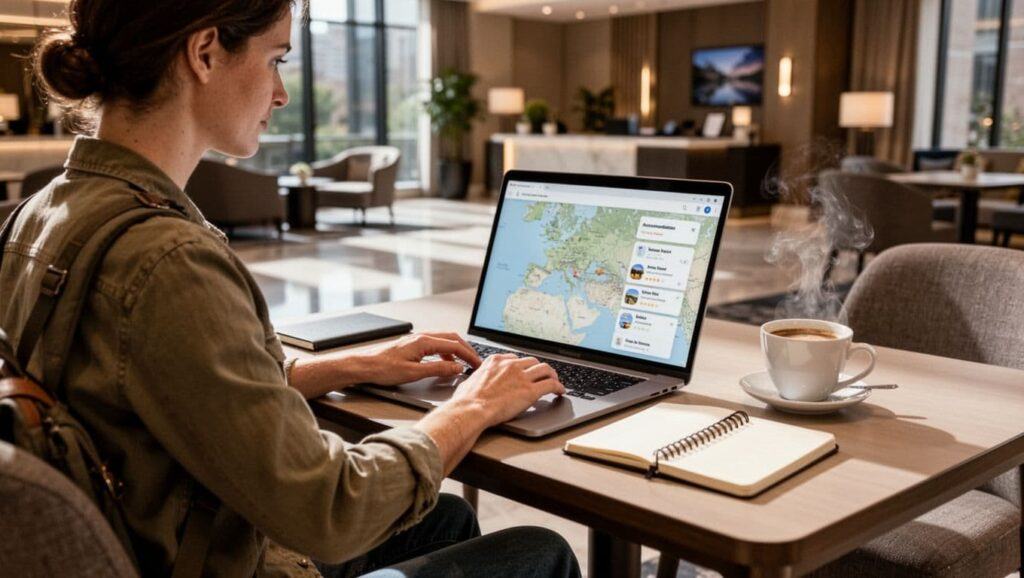
Check the map, too. A listing described as “near downtown” may still involve a long walk after a delayed flight with a suitcase that has developed its own opinions.
Read several recent reviews, especially comments about cleanliness, noise, air conditioning, Wi-Fi, and the surrounding street. Then compare the final total, not only the nightly number shown in large type.
Check the room details and booking rules
Before choosing a rate, confirm the bed setup and maximum occupancy. “Double room” doesn’t always mean two beds. It can mean one double bed, which is a different arrangement entirely when two colleagues are traveling together.
Look for included meals, taxes and fees, payment timing, identification requirements, and refundability. Some rates require payment now, while others collect payment at the property. The property’s stated policy and your confirmation email control what happens if plans change.
The lowest rate is only a good deal if it fits the trip you are actually taking.
Complete an Agoda booking and manage the reservation
Once you’ve chosen a room, enter the lead guest’s name exactly as it appears on their travel identification. Add a working email address and phone number. A confirmation sent to an old address is not much comfort at an airport check-in desk.
Select an available payment method, then read the final review page before completing the booking. Check the dates, guest count, room name, total amount, payment schedule, and cancellation terms one more time. Save the confirmation email or voucher in a place you can find without hunting through a crowded inbox.
Agoda says its site and app are available in 39 languages, with 24/7 customer support. The booking-management area is usually the first place to review a reservation, make an eligible date change, submit a special request, request a voucher, or begin an amendment or cancellation inquiry.

How AgodaCash works at checkout
AgodaCash is booking credit that may be available on eligible stays. It isn’t the same thing as a general cash refund, and it won’t pay a cancellation fee.
Sign in to the account holding the balance. Choose an eligible property and room, then look for the AgodaCash option on the payment page. You may be able to apply all or part of the balance, depending on that booking’s rules.
Check the amount, expiration date, and eligibility before relying on it. A credit that expires before the trip is not much of a travel fund.
What to do when an Agoda booking needs to change
Open the reservation as soon as your plans shift. First, read the property’s change or cancellation terms. Then submit the request through the booking flow or support option and keep the resulting confirmation.
The outcome can depend on the booking type, the deadline, the property’s policy, and the refund rules attached to your rate. Don’t assume an email asking for a change has altered the reservation until you receive confirmation that it has.
Agoda cancellation, payment, and support rules to know
Cancellation policies sit in the fine print because they matter most after something goes wrong. Agoda generally doesn’t charge a separate cancellation processing fee unless your booking policy says it does. However, canceling late can carry a fee, often at least the cost of one night, unless the confirmation states another amount.
Payment timing also varies. Some reservations are paid for online when booked. Others allow payment at the property. Your final confirmation is the source of truth for the price, currency, payment date, and cancellation deadline.
For questions involving amendments, cancellations, guest contact, or refunds, Agoda’s published booking-support scope lists those as customer-service issues. Keep your booking ID ready. It saves time and avoids trying to reconstruct a reservation from memory.
Avoid common Agoda booking mistakes
A few checks prevent most unpleasant surprises:
- Don’t confuse a per-night rate with the total for the entire stay.
- Read taxes and fees before comparing two rooms that appear similarly priced.
- Don’t choose a nonrefundable rate unless your dates are firm enough to live with it.
- Put the cancellation deadline on your calendar, especially for trips booked months ahead.
- Check guest names, dates, and room count before paying.
- Save the confirmation immediately, and don’t assume every property accepts AgodaCash.
The booking page isn’t exciting, but neither is arguing over a reservation after midnight in an unfamiliar city.
Frequently Asked Questions About Agoda
Is Agoda reliable for booking hotels?
Agoda is an established accommodation platform within Booking Holdings. Reliability still depends on reading the individual listing and rate conditions, because the property supplies its own rooms, rules, and availability.
Do I need an Agoda account to book?
You can often complete a booking without making a full account, depending on the booking path and market. An account can make it easier to locate reservations, use eligible credits, and manage future trips through Agoda.
Can I cancel an Agoda hotel reservation?
Cancellation depends on the rate and property policy. Open your reservation, check the stated deadline and fee, then submit the cancellation through Agoda’s booking or support tools. Keep the cancellation confirmation for your records.
Why did the Agoda price change before checkout?
Prices can change because of availability, travel dates, room selection, taxes, fees, or currency settings. Treat the price shown on the final checkout page as the amount to review before completing your booking.
What should I do if I do not receive my Agoda confirmation?
Check your spam or promotions folder first. Then look for the reservation in the Agoda app or website. If you still cannot find it, contact Agoda support with your payment details, email address, and booking information.
A Better Booking Starts With the Boring Details
The useful part of how to use Agoda is not finding a pretty room photo. It is searching with the right dates, comparing the full price and policy, confirming the room details, and saving the reservation while everything is still clear.
Read the cancellation terms before the deadline becomes relevant. Agoda can make accommodation shopping easier, but support and refund results always come back to the specific reservation you chose.
Ready to Compare Your Stay?
Search Agoda for hotels, apartments, hostels, and other accommodations. Before booking, compare the full price, room details, guest reviews, and cancellation terms.
- Enter your exact dates and guest count
- Check the final total before paying
- Review the cancellation deadline